Master Your 2026 Twitter Strategy with This Canva Post Planner
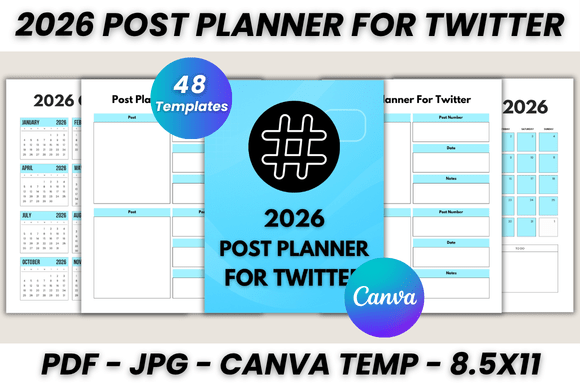
Keeping a consistent and high-quality presence on Twitter (now X) requires more than just spontaneous posting; it demands a strategic overview of your content calendar. The 2026 Post Planner for Twitter Canva Template is designed to solve the chaos of content creation by offering a structured, visually cohesive system. This isn't just a blank calendar; it is a comprehensive 48-page digital toolkit built for the modern content creator. By integrating a full year's worth of planning pages into a single, editable file, this template bridges the gap between high-level strategy and daily execution.
A Visual System Built for Clarity and Focus
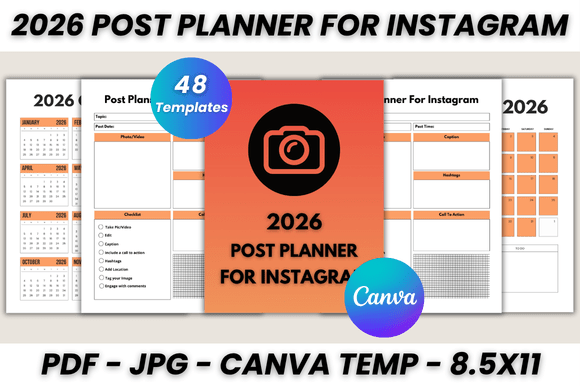
Visually, this planner embraces a clean, functional aesthetic that prioritizes usability over clutter. It avoids overly decorative elements that can distract from the planning process, instead utilizing a balanced layout with ample white space. The design personality is professional and organized, featuring a modern typography style that ensures your notes and schedules remain highly legible. The overall appeal lies in its ability to organize complex information—such as monthly themes, specific post dates, and important notes—into a digestible format. The aesthetic is versatile enough to serve as a standalone digital file on your desktop or a polished printed document on your desk.
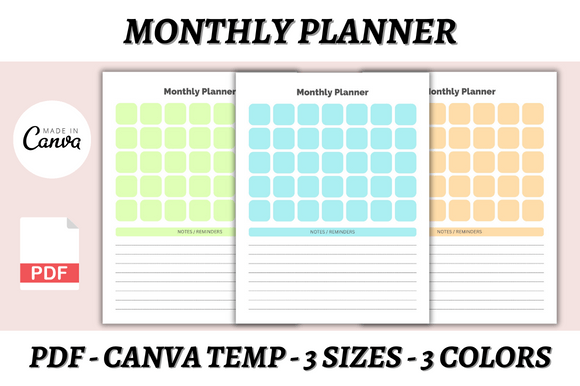
The 2026 Post Planner for Twitter Canva Template is structured to handle the entire workflow of a content creator. The package includes essential organizational tools such as a "Belongs To" page for ownership, an editable 2026 calendar for a bird's-eye view of the year, and a detailed monthly planner covering January through December. Furthermore, it dedicates 30 specific pages to the "Post Planner for Twitter," allowing users to map out their daily tweets, threads, and engagement strategies with precision.
Practical Applications for Designers and Entrepreneurs
This resource functions as more than just a scheduler; it acts as a critical design asset for small business owners and marketing professionals. The utility of this Canva template extends across various scenarios:
- Social Media Managers: Use the 30-page Twitter section to batch content creation. You can plan specific hashtags, track engagement goals, and visualize the visual flow of your feed before publishing.
- Brand Strategists: The editable files allow you to inject your brand identity directly into the planner. By customizing colors, fonts, and layout styles, the planner becomes an extension of your brand guidelines, ensuring consistency across all digital marketing efforts.
- Bloggers and Publishers: Utilize the "Important Notes" and general notes sections to brainstorm thread ideas or cross-promote blog content on Twitter, ensuring your editorial calendar is synchronized with your social output.
The inclusion of a 2026 Calendar and Monthly Planner makes this an essential tool for project management. It allows entrepreneurs to align product launches, seasonal sales, and marketing campaigns with their daily social media output. The ability to edit fonts, sizes, and colors in Canva means you can highlight high-priority dates or categorize different content types (such as educational vs. promotional) using color-coding systems.
Customization and Usability: The Canva Advantage
One of the strongest features of this package is its integration with Canva. Canva is a free-to-use online graphic design tool, which makes this template accessible to everyone, regardless of their technical skill level. You do not need to be a professional graphic designer to utilize this planner effectively.
Upon purchase, you receive a downloadable PDF containing the direct link to the Canva template, along with bonus JPG files. The customization process is intuitive:
- Sign Up/Log In: Access Canva via a free account.
- Customize: Once the template is open, you have full control over the design. You can modify the typography to match your brand voice—perhaps swapping a sans serif font for a serif font to give it a more editorial feel.
- Resize and Print: The templates come in US Letter size (8.5 x 11), but Canva’s resize tools allow you to adapt them for digital tablets or different paper sizes. You can save the final product as a high-quality PDF for printing or keep it as a digital file for annotation on a tablet.
The versatility of the 2026 Post Planner for Twitter Canva Template ensures it fits seamlessly into your existing workflow. Whether you prefer a physical planner on your desk or a digital planning system, the files are optimized for both environments. The "Editable Files" component ensures that as your business evolves or your branding changes, your planning tools can evolve with you without requiring a new purchase.
Strategic Value for Content Creation
Effective social media marketing relies on consistency and foresight. By utilizing a structured planner like this, content creators can move away from reactive posting and toward a proactive strategy. The dedicated "Post Planner for Twitter" section encourages users to think about the what and when of their content weeks in advance. This foresight is crucial for building audience engagement and maintaining a professional brand identity online.
Moreover, the inclusion of "Important Notes" and general note-taking pages provides space for the creative process that happens outside of the calendar grid. It is a place to store content pillars, track analytics, or jot down sudden inspiration. This holistic approach to planning ensures that no idea is lost and every piece of content serves a larger strategic purpose.
Ultimately, this template is a practical design asset that combines functionality with professional aesthetics. It is a tangible solution for anyone looking to streamline their Twitter marketing efforts for the year 2026, offering a blend of organizational structure and creative freedom that is essential in the fast-paced world of digital marketing.