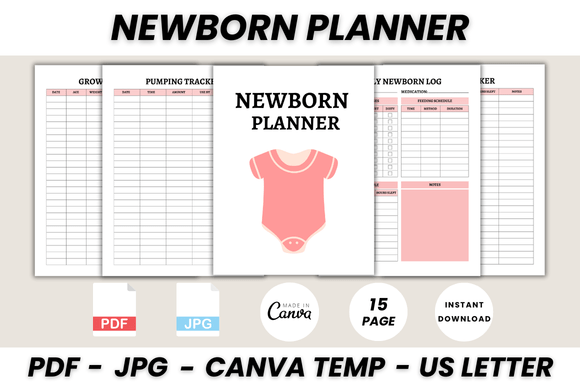
The Ultimate Newborn Planner: A Designer's Guide to the Canva Template
For creative professionals, the arrival of a new client project is always exciting, but some projects carry a deeper, more personal weight. Designing for the newborn market—a space filled with hope, joy, and gentle aesthetics—requires a specific touch. It’s a niche where soft, modern typography and a clean, organized layout aren’t just nice-to-haves; they are essential to creating a product that resonates. This is where a well-crafted Newborn Planner Canva Template becomes an invaluable design asset, serving as both a functional tool for new parents and a canvas for your own creative branding.
This isn't just about a collection of pages; it's about providing a structured, beautiful system. The Ultimate Newborn Planner, with its 15 thoughtfully designed pages, exemplifies this approach. It moves beyond simple scheduling to offer a comprehensive resource covering everything from daily logs to health tracking and the introduction of solids. For designers, entrepreneurs, and content creators, this template is more than a printable—it’s a foundation upon which to build a memorable brand identity within the parenting sector.
Anatomy of a Well-Designed Planner: Visual Style and Appeal
The power of a Newborn Planner Canva Template lies in its visual personality. The most effective designs in this space balance warmth with clarity. The aesthetic is often minimalist, using generous white space to prevent visual clutter—a crucial feature for sleep-deprived parents. The color palette tends toward soft pastels, muted earth tones, or gender-neutral shades, allowing for easy customization to fit any brand. The overall style feels modern, approachable, and trustworthy, which is paramount when dealing with products related to infant care.
The choice of typeface within the template sets the entire tone. A successful design typically employs a thoughtful font pairing. You might find a gentle script font or a clean serif font for headings like "Belongs To" or "Baby Health Log," lending a touch of elegance and personality. This is then balanced with a highly legible sans serif font for the body text, trackers, and log entries. This combination ensures that while the planner feels personal and stylish, its primary function—clear, at-a-glance information—is never compromised. The visual hierarchy is intuitive, guiding the user's eye from the main title to the specific data points on each page.
Strategic Applications: More Than Just a Printable
While the end-user receives a printable PDF, the true value for a creative professional lies in the editable Canva file. This transforms the Newborn Planner Canva Template from a simple product into a versatile design asset. For a graphic designer, it’s a ready-made product to customize and sell on platforms like Etsy or Creative Market. A blogger in the parenting niche can use it as a high-value lead magnet to grow their email list. A small business owner specializing in baby products can offer it as a complimentary gift with purchase, enhancing customer loyalty and perceived value.
The applications extend further. A virtual assistant could use it as a template to create custom planners for their clients. A social media manager could adapt individual pages, like the Sleep Tracker or Feeding Log, into engaging Instagram post templates or Pinterest graphics. The editable nature allows for complete rebranding—swapping out fonts, adjusting colors to match a brand identity, and even adding a logo. This flexibility makes it a powerful tool for packaging design (as part of a larger product suite), editorial design for a parenting magazine's digital insert, or foundational web design content for a baby-focused website.
Practical Guidance for Customization and Implementation
Working with a template in Canva is straightforward, but a few professional insights can elevate the final product. First, when you open the editable Canva template, resist the urge to change everything at once. Start by evaluating the existing font pairing. The provided combination is likely chosen for its proven readability and aesthetic harmony. If you do choose to introduce a new premium font, ensure it maintains the same balance. A heavy, ornate display font might look beautiful for a title but will fail as a body font for tracking data.
Consider the project's context. If the planner is intended for print, test the layout by printing a sample page to check margins and ink usage. If it’s for digital use, consider how it will look on screens of various sizes; Canva’s resizing feature is excellent for this. When testing font pairings, create a separate page in Canva to experiment with combinations for headings, subheadings, and body text. Always prioritize readability. The goal is modern typography that serves its function, not just looks good in isolation. Finally, review the commercial license of any new fonts you add to ensure they are cleared for your intended use, whether for personal projects or for resale as part of a new digital product. By approaching the Newborn Planner Canva Template with this strategic mindset, you can transform a generic asset into a cornerstone of a successful creative offering.