Custom Canva Frame: 9 Font Styles for Drag & Drop Design
Why Text-as-Image Changes Your Design Workflow
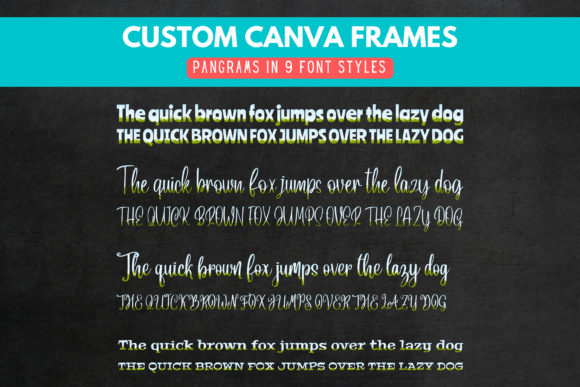
If you have ever struggled with Canva’s native text tools trying to get a specific look, you know the friction of digital design. Standard fonts are great, but they lack the tactile, physical feel of paper crafts or high-end editorial spreads. This is where the Custom Canva Frame - 9 Font Styles collection shifts the paradigm. Instead of treating text as a vector that simply sits on top of your work, this collection treats your typography as a container. It is a unique approach to modern typography that bridges the gap between digital editing and physical crafting.
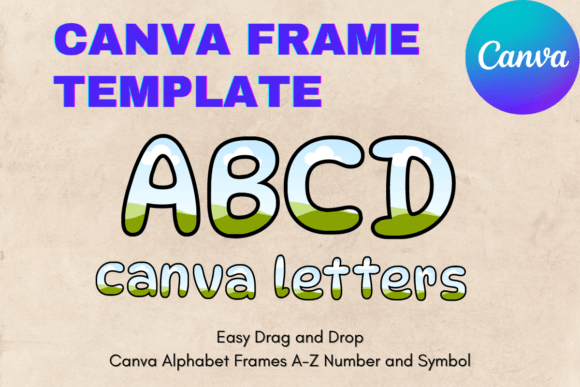
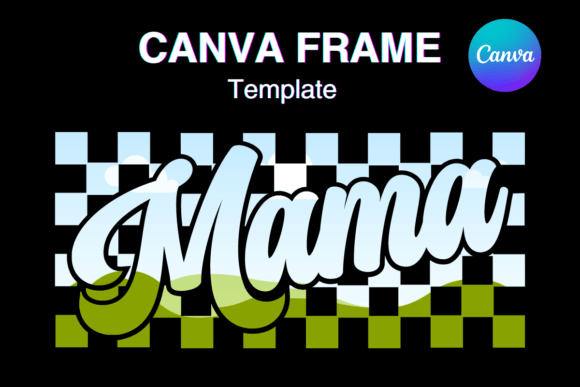
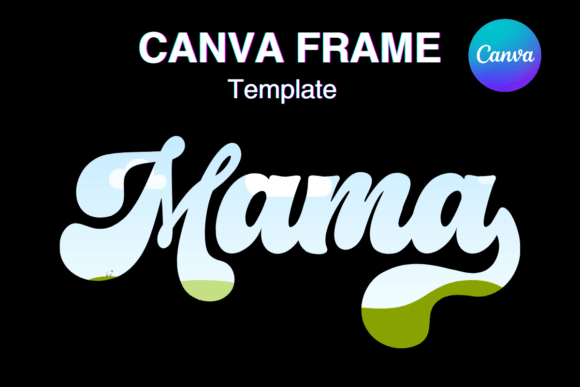
The core concept here is "frame-based typography." You are not just typing letters; you are interacting with a premium font structure that acts as a window. The visual personality of these nine styles ranges from bold and structural to fluid and organic. Because these are frames, they invite texture. Imagine a headline where the letters aren't just colored red, but are filled with a high-resolution image of crushed velvet, concrete, or a video loop of a sunset. This adds a layer of depth to your brand identity that flat color simply cannot achieve.
Visual Characteristics and Font Personalities
The collection includes nine distinct styles, ensuring you have a tool for almost any mood. While standard display font options can sometimes feel generic, these frames are designed to be the focal point of your layout. You will find a mix of heavy block letters that command attention and more delicate, flowing shapes that imply elegance.
It is important to understand how these frames influence visual hierarchy. In design, hierarchy is about telling the viewer what to look at first. A thick, textured frame naturally draws the eye, making it perfect for headlines in editorial design or hero sections on a website. The personality of these styles leans toward the artistic; they are less about pure utility and more about expression. Whether you need a serif font style for a classic vibe or a handwritten font look for a personal touch, the drag-and-drop nature of these assets makes application instant.
Practical Applications for Creators and Businesses
How do you actually use the Custom Canva Frame - 9 Font Styles in a real-world scenario? The versatility is surprisingly broad. For card making, these frames are exceptional. Instead of a flat "Happy Birthday" text, you can drag a photo of the birthday person directly into the letter shapes. This creates a personalized keepsake that looks professionally edited but takes minutes to create.
For social media graphics, specifically platforms like Instagram or Pinterest where visual stopping power is everything, these frames act as immediate attention grabbers. Marketers and content creators can use them to highlight sale prices or key slogans. Imagine a "50% OFF" graphic where the numbers are filled with a flashing neon video texture. This is the kind of creative font application that boosts engagement without needing complex software like Photoshop.
Small business owners and entrepreneurs can also leverage these for packaging design mockups or local advertisements. If you run a coffee shop, you could create a flyer where the word "COFFEE" is filled with an image of roasted beans. It communicates the message instantly and visually. The ability to use these in the free version of Canva democratizes high-end design effects, allowing hobbyists and publishers alike to produce professional grade assets without a steep learning curve or expensive subscriptions.
Integration and Technical Workflow
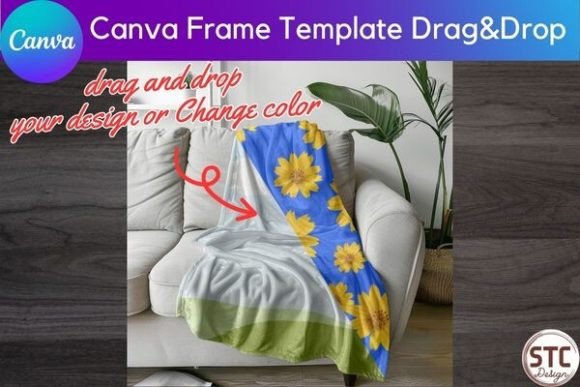
One of the biggest hurdles in design is compatibility. You receive a file, but you can't open it, or the fonts are missing. This collection solves that by utilizing Canva’s native upload system. When you purchase the Custom Canva Frame - 9 Font Styles, you receive a PDF with a link to upload the frames directly into your Canva account. Once uploaded, they sit in your "Uploads" folder as design assets, ready to be dragged onto the canvas.
This workflow supports both the free and paid versions of Canva, which is a significant advantage. You do not need a "Pro" subscription to utilize these specific design assets. The process is non-destructive; if you drag an image into a frame and don't like it, you can simply delete the image from the frame without altering the frame itself. This encourages experimentation. You can test different textures—perhaps a marble background for a luxury brand or a gritty paper texture for a vintage aesthetic—to see what enhances your brand identity best.
Strategic Impact on Brand Perception
Typography is the voice of your brand. Just as you choose specific words to convey a message, you choose specific typefaces to convey a feeling. Using a premium font style that integrates imagery helps with brand recognition. When your audience sees text filled with a specific pattern or color palette that aligns with your brand, it reinforces your visual identity.
Consider the impact on readability. While artistic fonts can sometimes sacrifice legibility for style, these frames are designed with clear outlines. However, the content you put inside the frame matters. If you fill a complex, thin script frame with a busy, high-contrast video, it might become hard to read. The practical advice here is to ensure the fill—whether image or video—has enough contrast or simplicity to support the letterform. For web design elements or headers, using a solid color or a subtle gradient inside the frame often yields the most polished result.
Evaluating Fit and Commercial Use
When deciding if this collection fits your needs, look at your current projects. If you find your current designs feeling flat or repetitive, these frames offer a quick way to inject energy. They are particularly useful for logo design concepts where you want to show a client how their brand name might look with various textures applied.
Regarding commercial licensing, the ability to use these for client work is a massive value add for freelancers and agencies. You can create social media graphics, flyers, and advertisements for paying clients using these assets. This elevates the service you can offer, allowing you to provide unique visual solutions that competitors using standard stock fonts cannot match.
Ultimately, the Custom Canva Frame - 9 Font Styles is less about replacing your entire font library and more about adding a specialized tool to your kit. It is a solution for when you need text to be more than just words—when you need it to be a visual experience. By combining the ease of Canva with the artistry of frame-based typography, you unlock a new dimension of creative possibility. Whether you are a designer refining a portfolio or a blogger creating a standout pin, these frames provide the structure for your creativity to fill in the blanks.