Cactus Add Your Own Face: A Playful Template for Personalized Designs
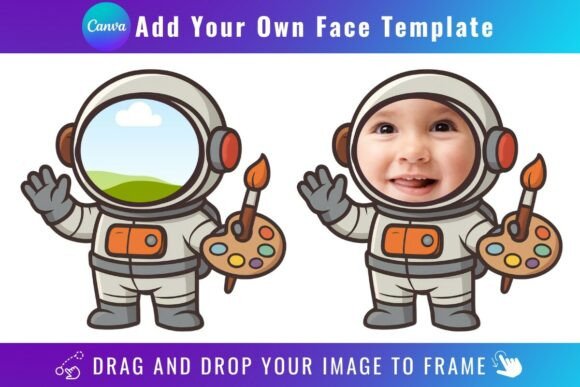
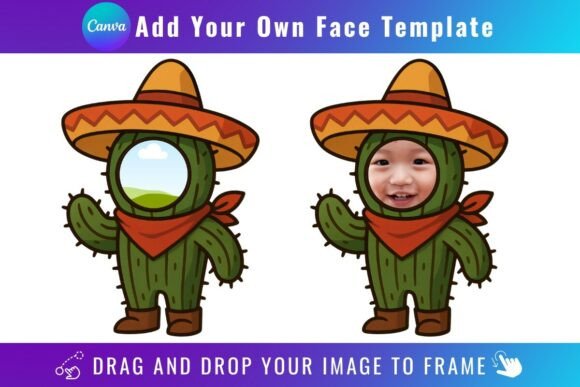
There’s something instantly charming about a cactus with a face. It’s quirky, memorable, and injects a dose of personality into any design. The Cactus Add Your Own Face Template captures this exact feeling. It’s not a traditional typeface you install on your computer, but rather a set of editable Canva frame templates. Think of it as a digital asset designed for one core purpose: to let you easily place any PNG or JPG image—the “face”—into the charming, illustrated body of a cactus character. The visual style is whimsical, hand-drawn, and friendly, leaning into a modern illustration aesthetic that feels both approachable and polished. Its overall appeal lies in its simplicity and instant character, making it a go-to for projects that need a touch of playful authenticity.
Where This Template Truly Shines
The real-world applications for the Cactus Add Your Own Face Template are surprisingly broad, especially for creators and businesses looking to stand out. Its strength is in personalization and branding. Imagine a small business owner using it to create a consistent mascot for their social media graphics—each new post could feature the same cactus body but with a different product photo or team member’s face as the head. This builds brand recognition while keeping content fresh and engaging.
For bloggers and content creators, it’s a fantastic tool for crafting unique featured images or newsletter headers that feel personal rather than stock-generated. The template’s style works exceptionally well in digital spaces: website banners, Instagram Stories, or profile avatars. It’s also a hit in print and packaging design. Think of stickers, greeting cards, or even product labels for a boutique food or craft brand. The playful nature of the cactus character makes it suitable for audiences of all ages, from children’s products to youthful adult brands. Its role as a creative font alternative—a visual asset for logo design or brand identity elements—cannot be overstated when the goal is friendliness and approachability.
Practical Guidance for Seamless Integration
Using the Cactus Add Your Own Face Template is straightforward, but a few practical details ensure the best results. First, you’ll need a free Canva account to access and edit the templates via the provided PDF link. The process is intuitive: open the template in Canva, locate the frame for the “face,” and simply drag your chosen image from your uploads into that frame. Canva’s tools will automatically crop and fit it.
A critical consideration is the final output. To download your finished design with a transparent background—essential for layering on other images or using in various digital projects—you will need a Canva Pro subscription or higher. The free version of Canva will place your design on a solid white background upon download. Remember, this is a digital product; no physical items are shipped. Also, note that these templates are exclusive to Canva. They are not SVG files and cannot be used with cutting machines like Cricut or Silhouette, nor are they traditional premium fonts for desktop software.
When evaluating if this template fits your project, consider the personality you want to convey. It’s ideal for casual, friendly, and creative communication but might not suit ultra-corporate or serious formal contexts. For font pairing, think about balance. The cactus template is a strong visual statement, so pair it with clean, simple sans-serif fonts for body text to maintain readability and visual hierarchy. A straightforward serif font could also work for a slightly more classic feel, but avoid other highly decorative or script fonts that could compete for attention. Always test your final composition at the size it will be viewed to ensure the “face” remains clear and impactful.
In the realm of modern typography and design assets, tools like the Cactus Add Your Own Face Template represent a shift toward modular, user-friendly creativity. They empower individuals and small businesses to produce professional-looking, consistent social media graphics and marketing materials without a steep learning curve. By leveraging such assets, you can enhance brand perception, boost audience engagement, and maintain a cohesive visual identity across all your projects, from digital ads to packaging design. It’s a practical example of how the right creative resource can streamline workflow and elevate your visual storytelling.